1. Find the prompts
Tracking starts with questions people really ask. Prompt discovery searches DataForSEO's index of AI answers for prompts where your domain is cited, prompts where a competitor's domain is cited, and questions around a topic. You can also paste or import your own. New finds wait in an inbox until you accept them.
2. See the price
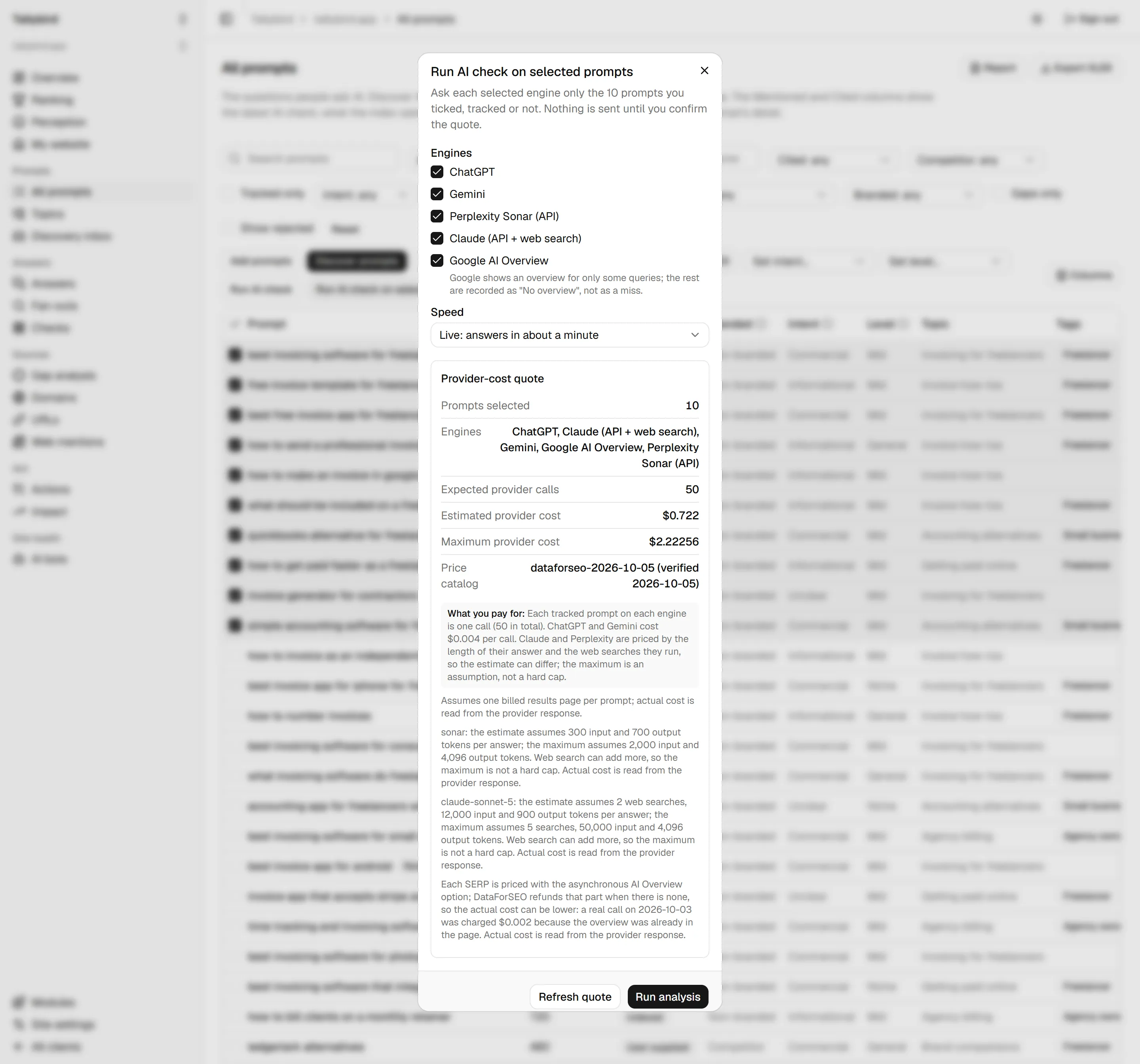
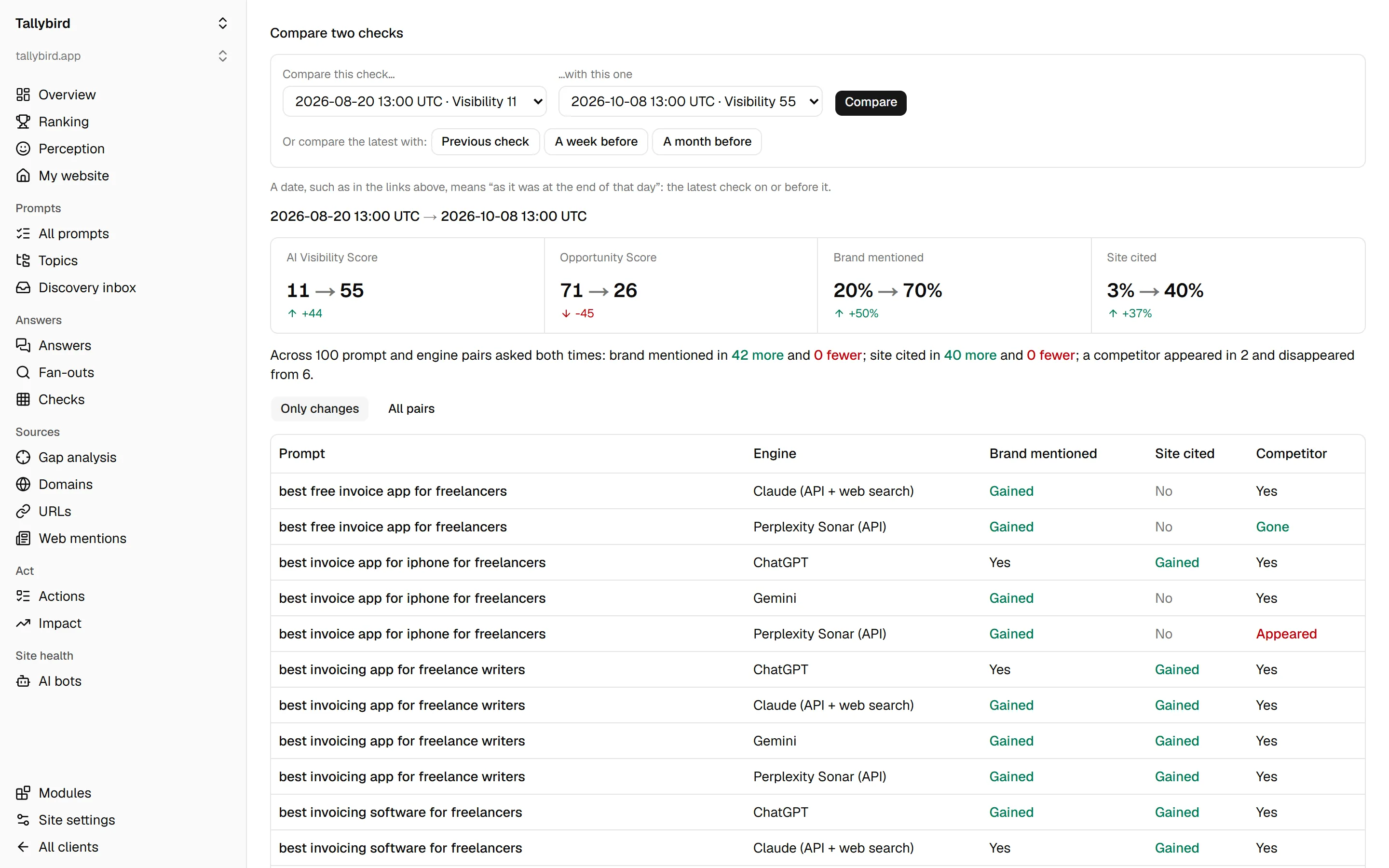
Pick the prompts and the engines. Before anything is sent you get a quote: how many prompts, which engines, how many calls, the estimated cost, the maximum cost and the price catalog it was priced from. Nothing runs until you confirm, and editing the selection throws the quote away.
3. Ask the engines
An AI visibility check asks each engine the way it's actually used:
- ChatGPT and Gemini are read from the consumer apps, live or queued. Queued costs about a third of live and takes a little longer.
- Perplexity is asked through its Sonar API, which searches the web for every answer.
- Claude is asked through Anthropic's API with web search switched on.
- Google's AI Overview is read from the results page. A query that shows no overview is recorded as "no overview", not as a miss.
- Any OpenRouter model with search can be added and is labelled as such.
Every answer is stored with the brands it named, in order, the links it used and, where the engine reports them, the searches it ran, next to the provider's raw response. Checks run in the background: close the dialog and a progress tray keeps track of the run.
4. Read the numbers
The headline rates count each answer once, over the period you pick:
| Rate | What it means |
|---|---|
| Visibility | Share of answers that name the brand |
| Share of voice | The brand's share of all mentions of tracked brands |
| Position | Average order in which the brand is named among tracked brands |
| Win rate | Share of answers that name the brand first |
| Sentiment | 0 to 100, only over answers that were analysed |
| Used as a source | Share of answers that cite the site |
Each rate comes with a likely range and the number of answers behind it. A change is measured only on prompt and engine pairs asked in both periods, so adding prompts doesn't fake a trend. A zero always says why, for example "competitors were named in 21% of answers, and you in none". AI brand monitoring shows all six per brand, for the engines you pick.
Two scores sit beside the rates. They're our own, and you can see exactly how they're built:
weight(prompt) = log(1 + AI search volume)   (1 when volume is unknown)
AI Visibility  = 100 x (1/2 weighted mention coverage + 1/2 weighted citation coverage)
Opportunity    = 100 x weighted share of answers where a competitor is visible and you aren't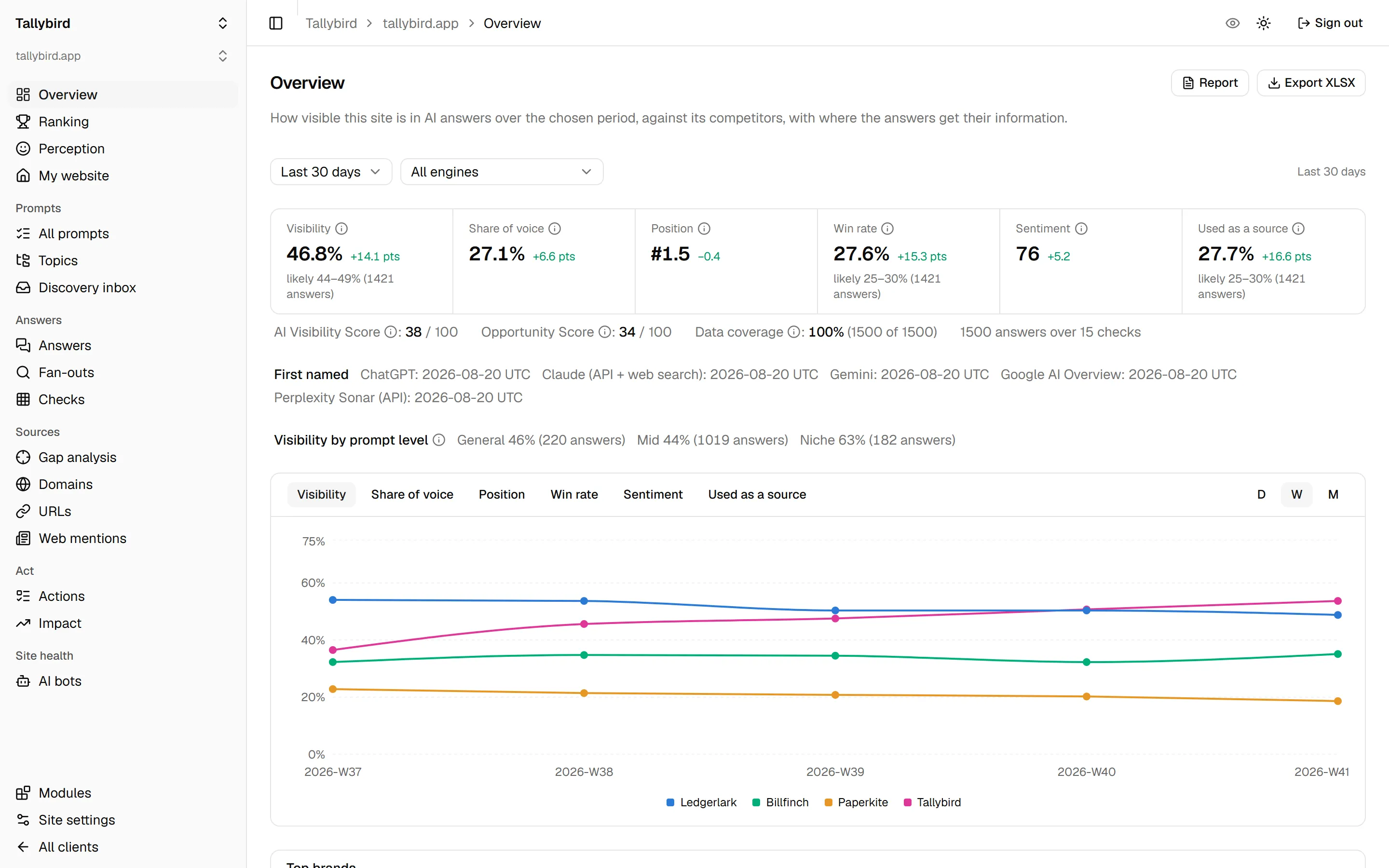
5. Fix what's missing
Gap analysis lists the domains, hosts and pages the answers used when they named a competitor and not you, ranked by a gap score. Actions turns the checks into one work list: pages to create or improve, sites to get mentioned on, AI crawlers to let in. Each item carries its evidence, a page brief and a copy-as-prompt button. Mark an action done and Impact compares the before and after like for like.
6. Report it
Every check is a dated snapshot you can compare with any other. Send clients the one-page report as a PDF or a read-only link, or export the XLSX workbook with one citation per row. Shared reports show no prices and no data providers. More on the reports page. Or read a whole sample report for a made-up brand.
What it costs
The tool is free while it's invite-only. You connect your own DataForSEO account and pay what each call costs there, which is recorded per call to a fraction of a cent. Tracking 100 prompts a week on ChatGPT, Gemini, Perplexity and Google's AI Overview comes to about $4.77 a month at the queued rate. More on the pricing page.
Check receipt#0008
"best invoicing software for freelancers"
- ChatGPT$0.0012
- Gemini$0.0012
- Google AI Overview$0.0020
- Perplexity$0.0066
- Claude$0.0536
1 prompt, 5 engines$0.0646
- 100 prompts weekly, 4 engines, no Claude$4.77/mo
- 25 prompts weekly, all 5 engines$7.00/mo
DataForSEO prices, catalog 2026-10-05. ChatGPT and Gemini at the queued rate (live answers: $0.004). Estimates; the app records the actual cost of every call.